
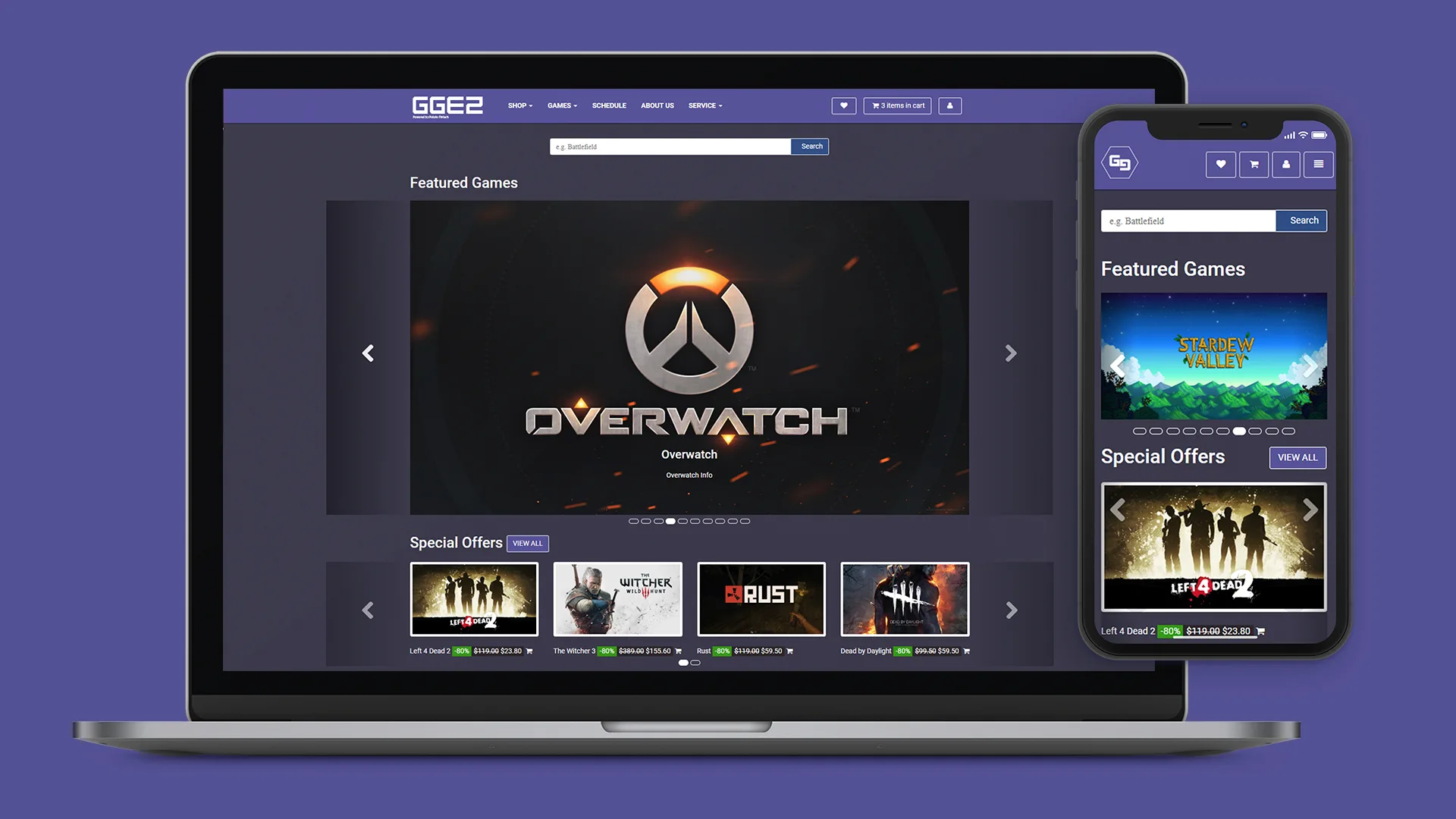
OVERVIEW
This project was completed as part of my Web Usability Design and Engineering course at City University of Hong Kong.
TIMELINE
Sep - Nov 2017 (3 months)
MY ROLE
UI/UX Designer & Web Developer
THE TEAM
2 designers and 2 developers
TOOLS USED
Balsamiq, Atom
Creative Brief
Project Name
GGEZ powered by Potato Fintech
Goal
To design a website that provides a convenient and efficient platform for customers to find the best game price from all over the web. The website should incorporate the price comparison service as well as be an attractive accommodation where we can display the latest updates of sales, events, and games.
Analysis of customer needs
One of the biggest difficulties games faced is the process of buying video games. Since there are countless virtual and physical game stores, it would be lousy to check all the stores for the price of a game. The price between stores isn't only a few dollars but can go as high as 100 dollars, so we decided to solve this issue.
Plan of approach
We studied similar business concepts in particular "Trivago", a hub for pricing, and "Steam", on the way they display their game content. We also want this project to be user-heavy involvement so we chose to use User Centered Design Framework.
I then proceeded in researching where we would stand in the market with
SWOT Analysis
and identify potential competitors with Competitive Analysis.
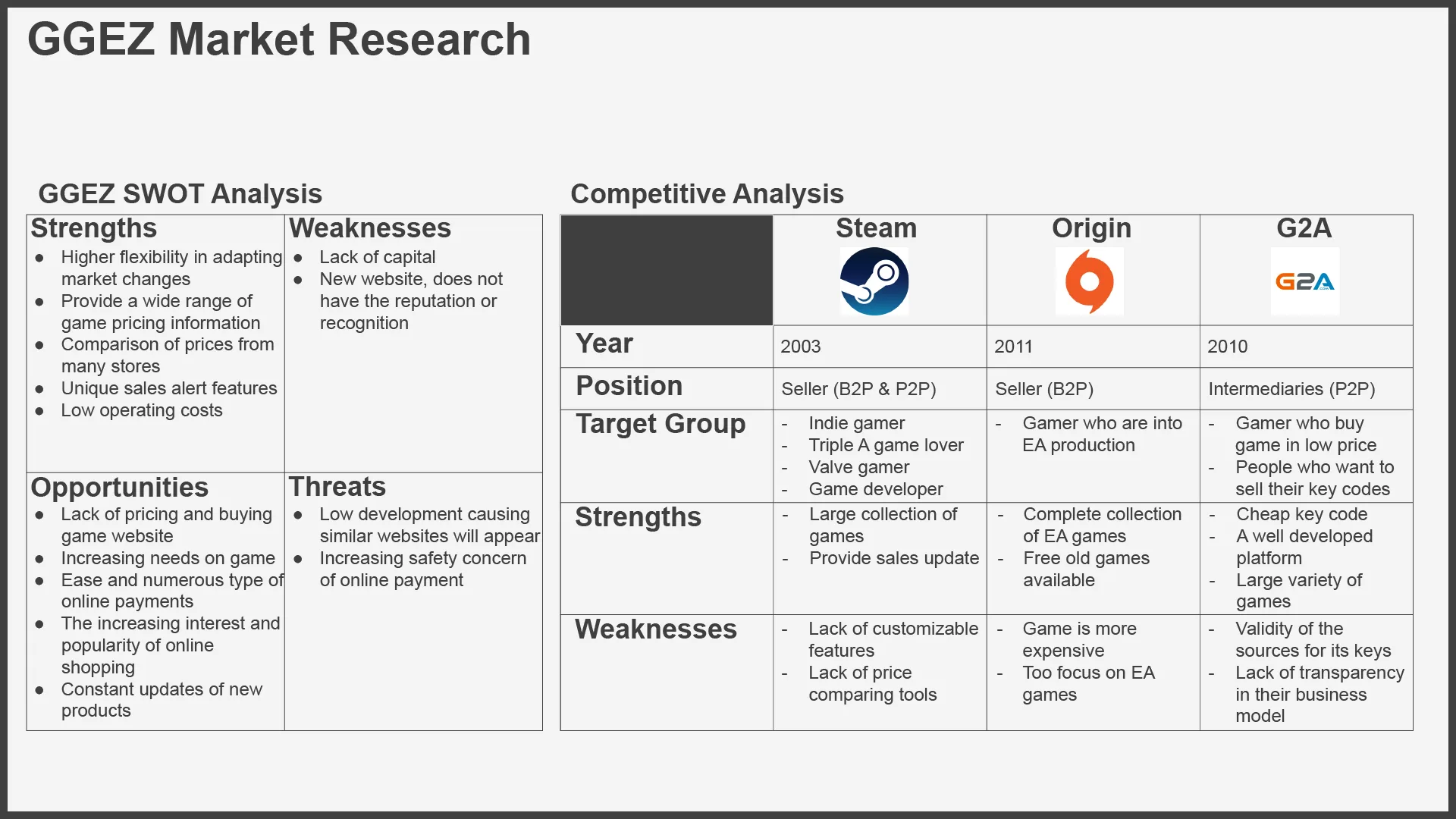
MarketResearch
Personas and Scenarios
I made these personas (to help us understand potential users that might be using our website) with scenarios on how they might interact and what might hope to achieve with the site.
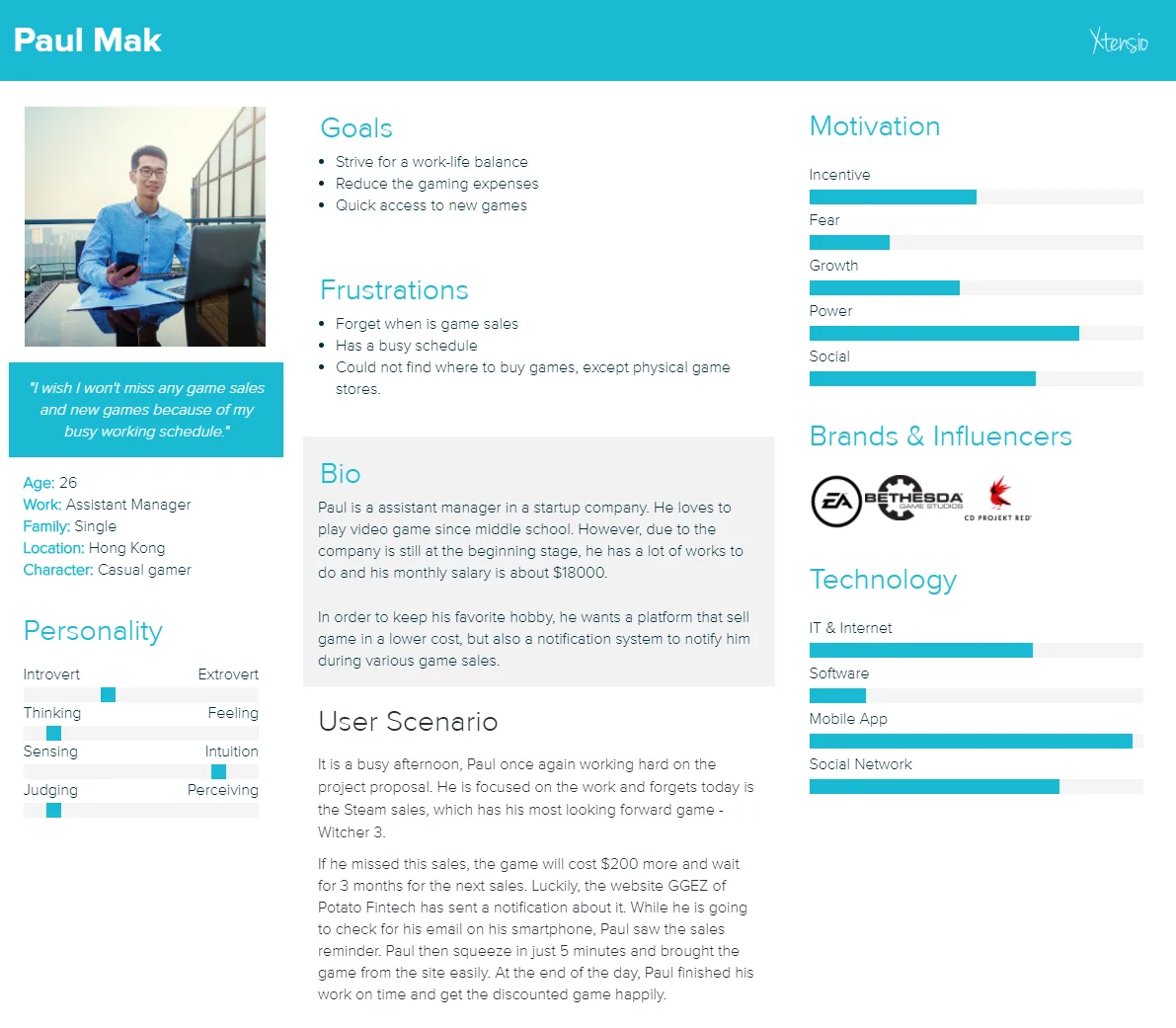
Persona (Paul)
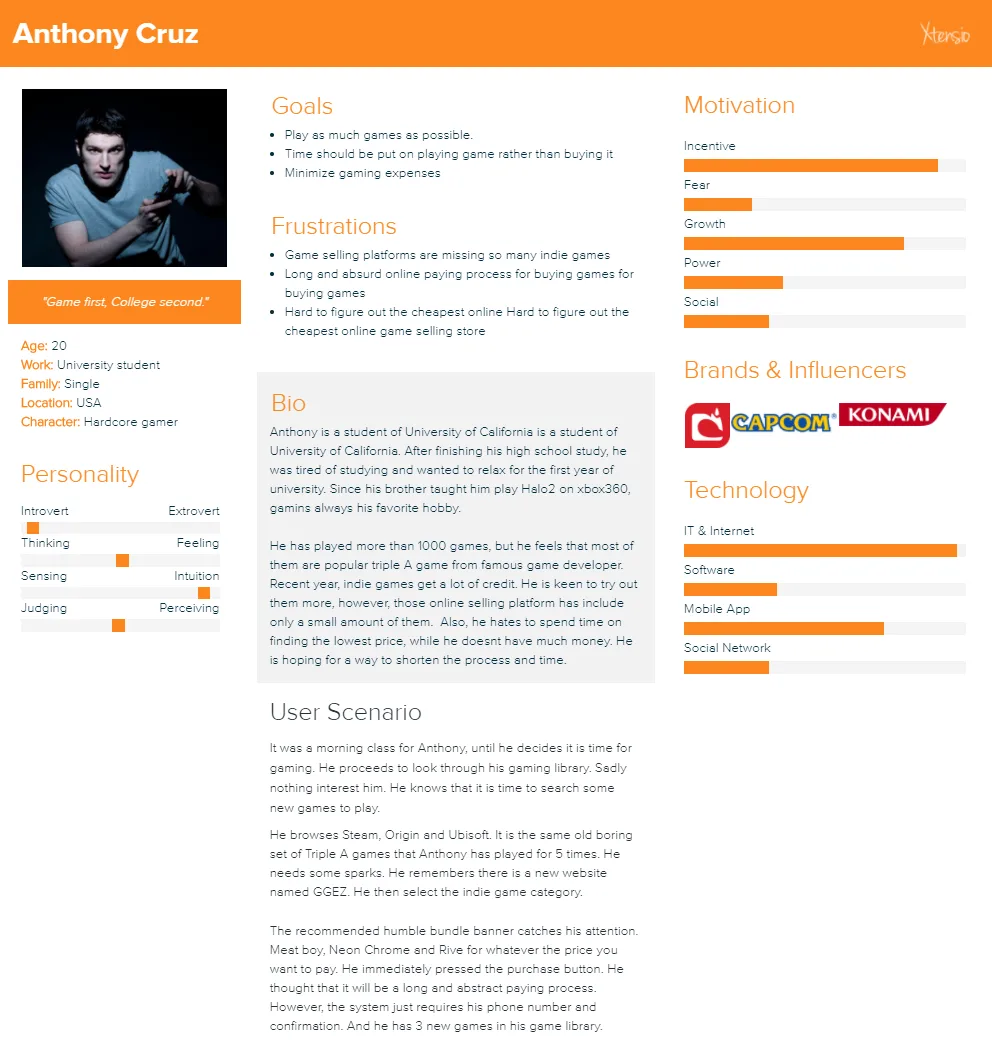
Persona (Anthony)
Information Architecture
Now that I understood both Paul's and Anthony's struggles, I made a sitemap and userflow to organize the relationship between pages and expected progression of the user throughout the site.
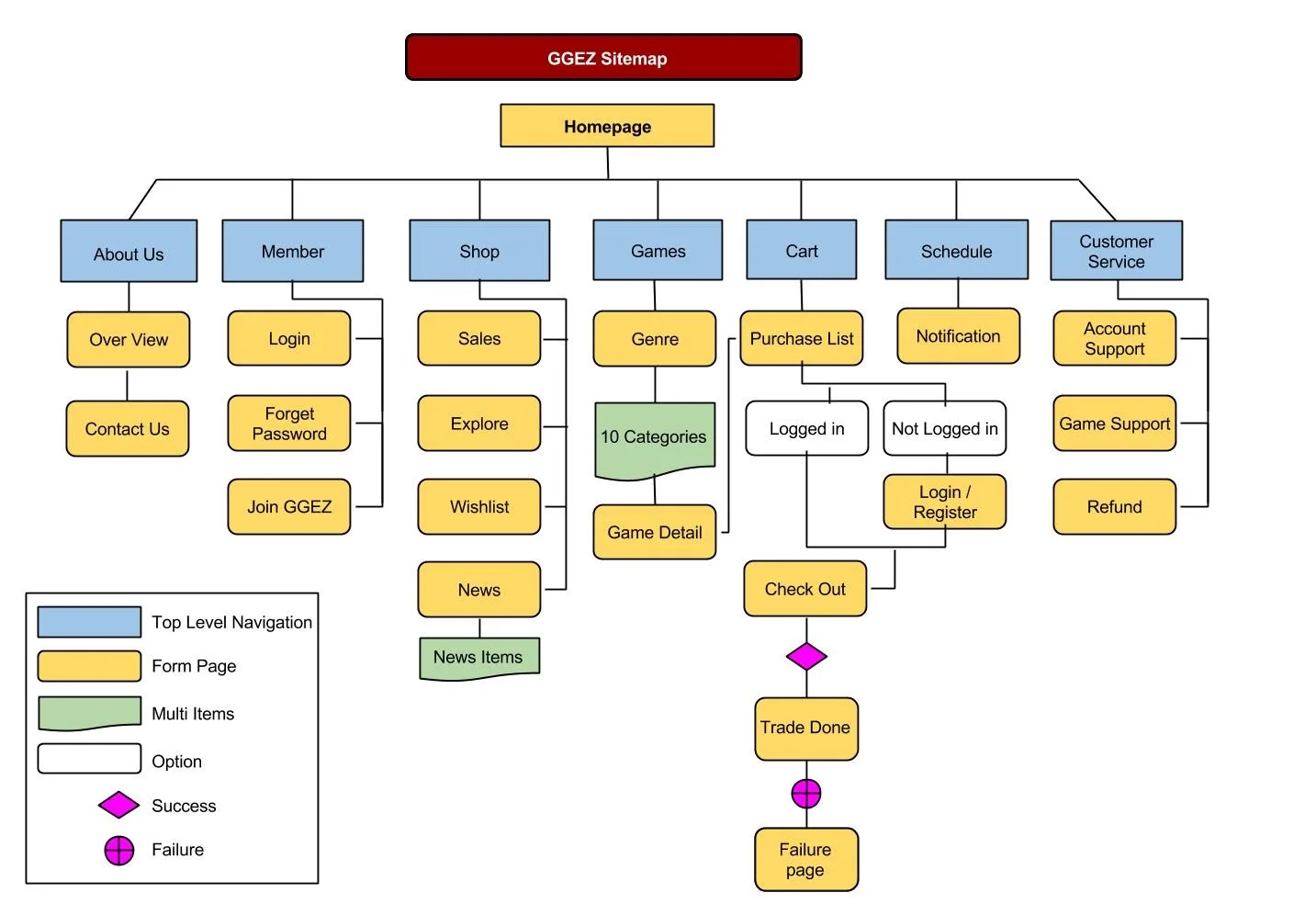
sitemap
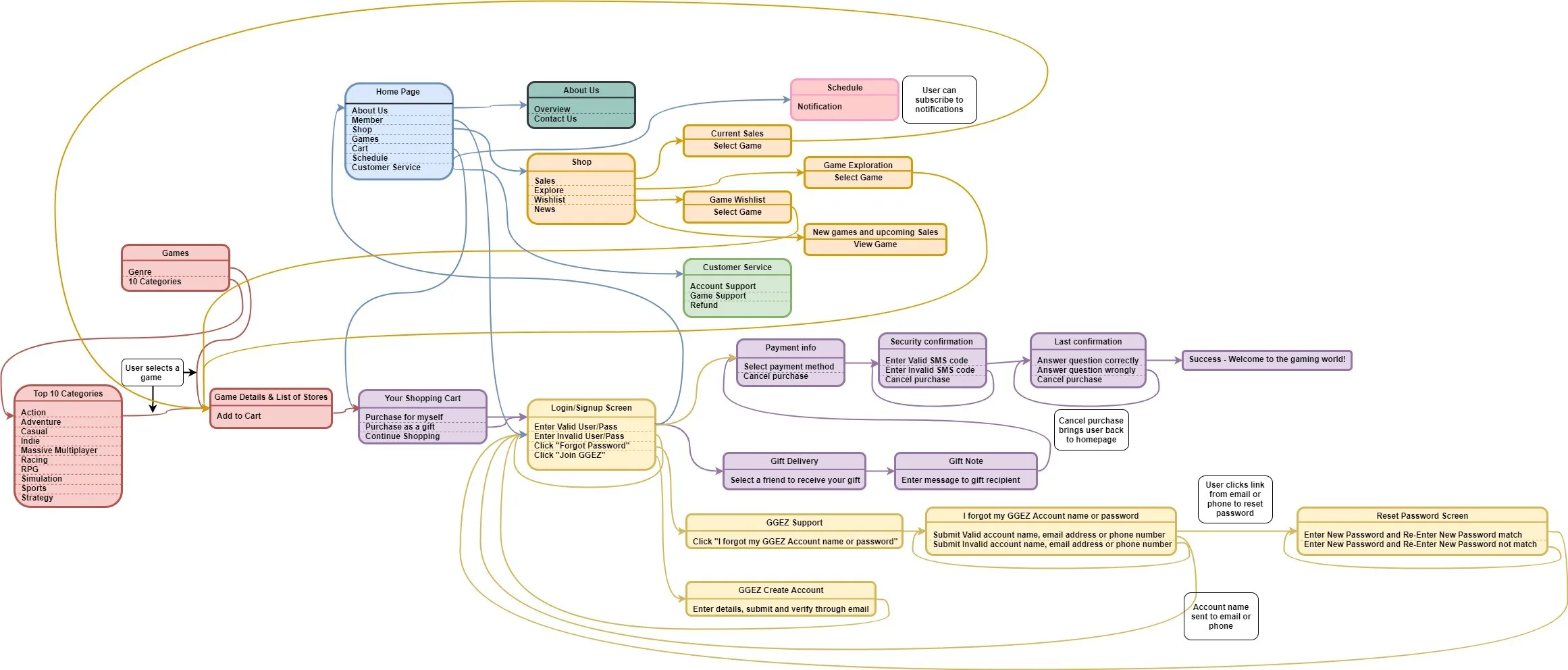
userflow
Sketches, Paper Prototypes and Wireframes
We designed the sketches with the "Crazy 8" technique then presented them to the group and voted. After all the decisions, we proceeded with paper prototyping and then turned them into digital wireframes.
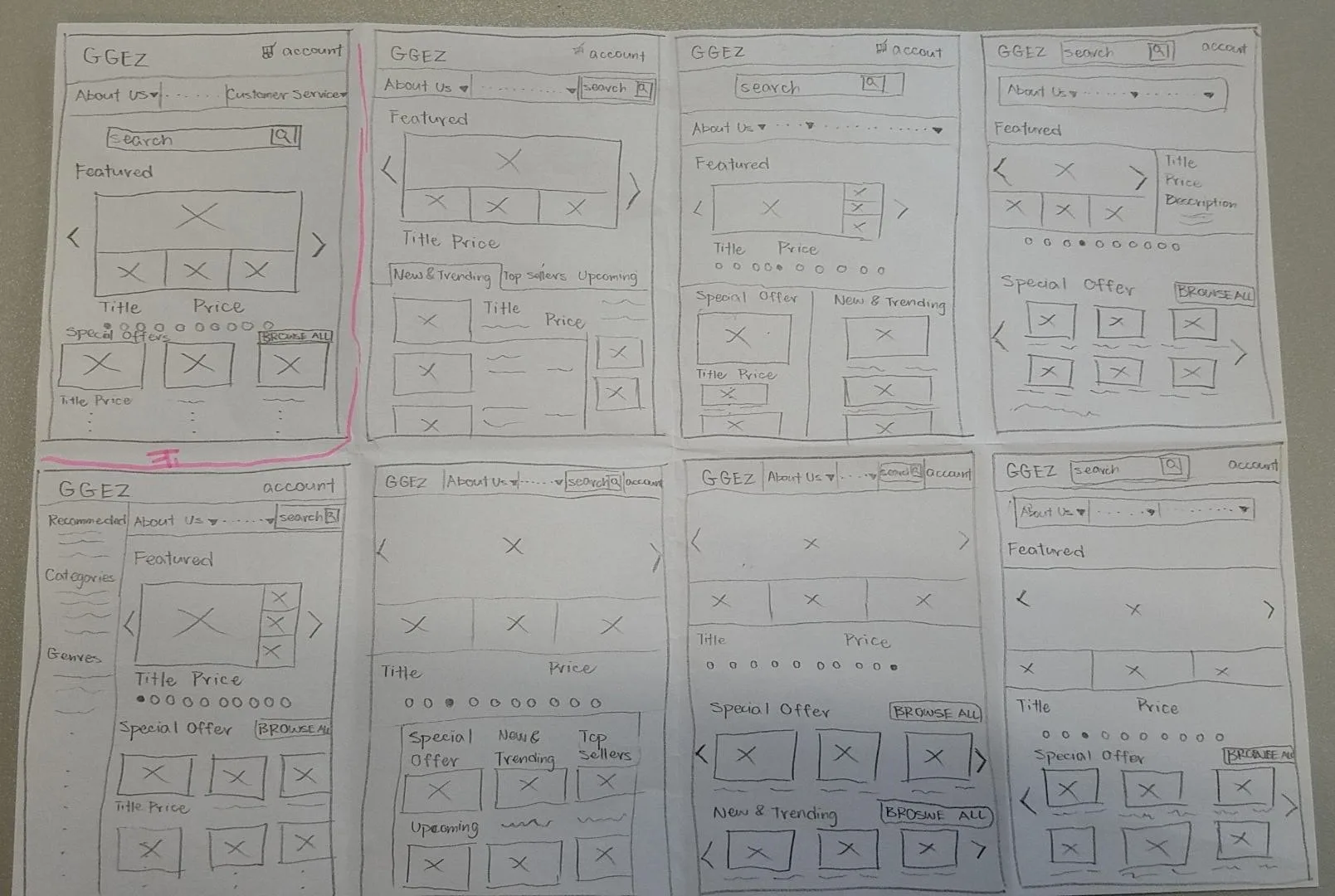
Home Sketch (Crazy 8)
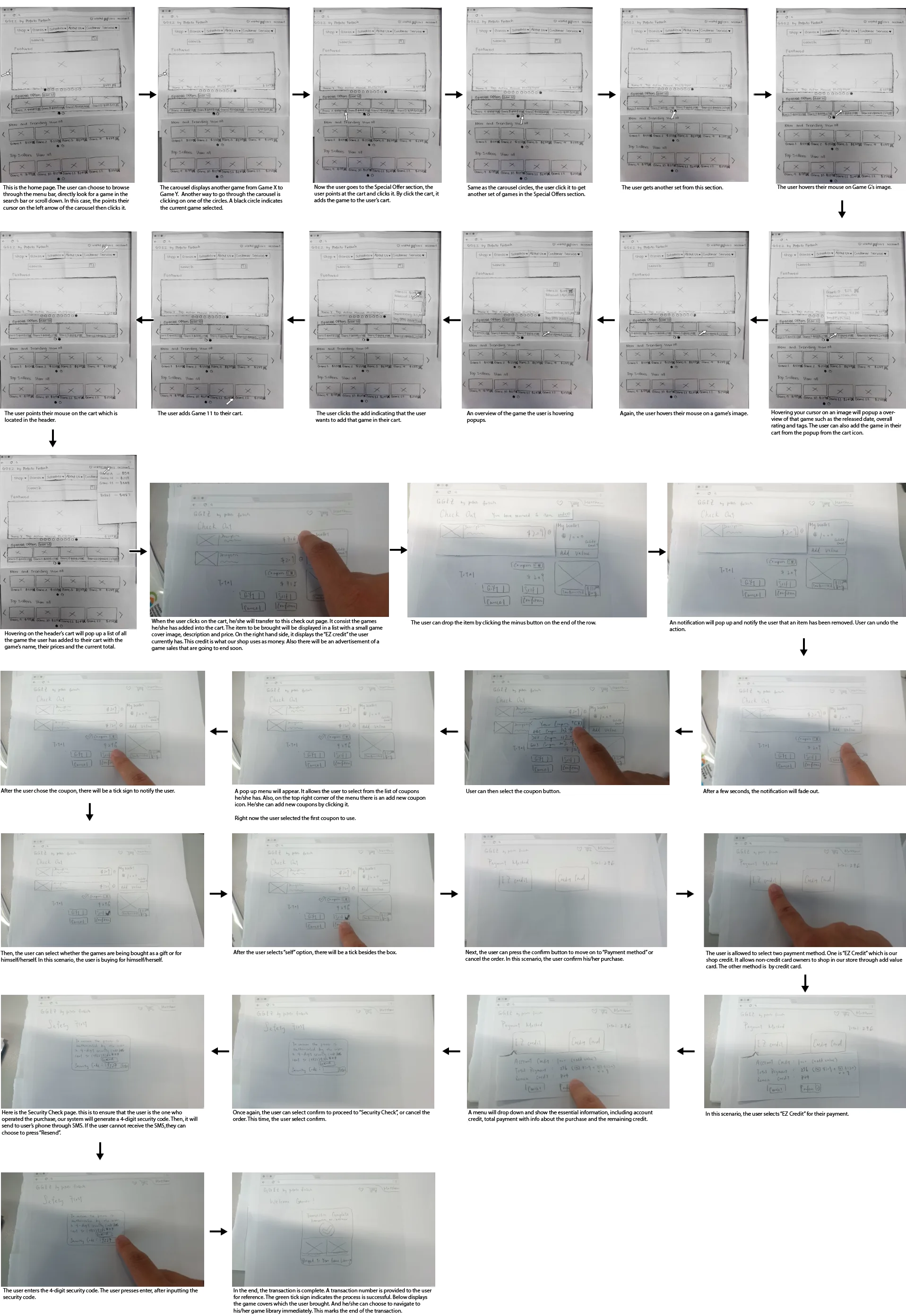
Paper Wireframe
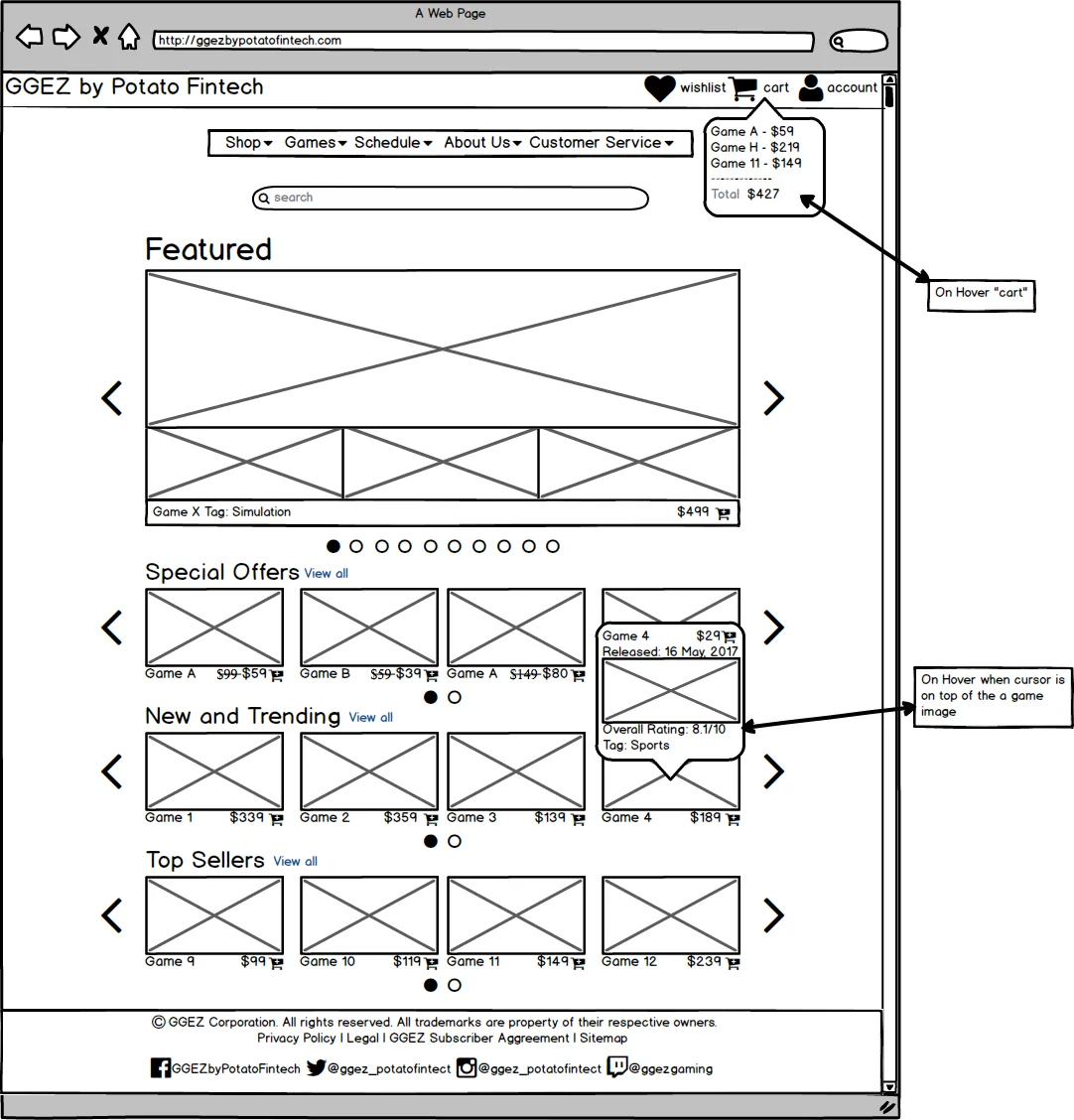
Digital Homepage Wireframe
HTML Prototype
Week 4's result and my groupmate's creative design of the logo and colors, it made it easier for me to visualize the look and feel to begin working on the prototype.
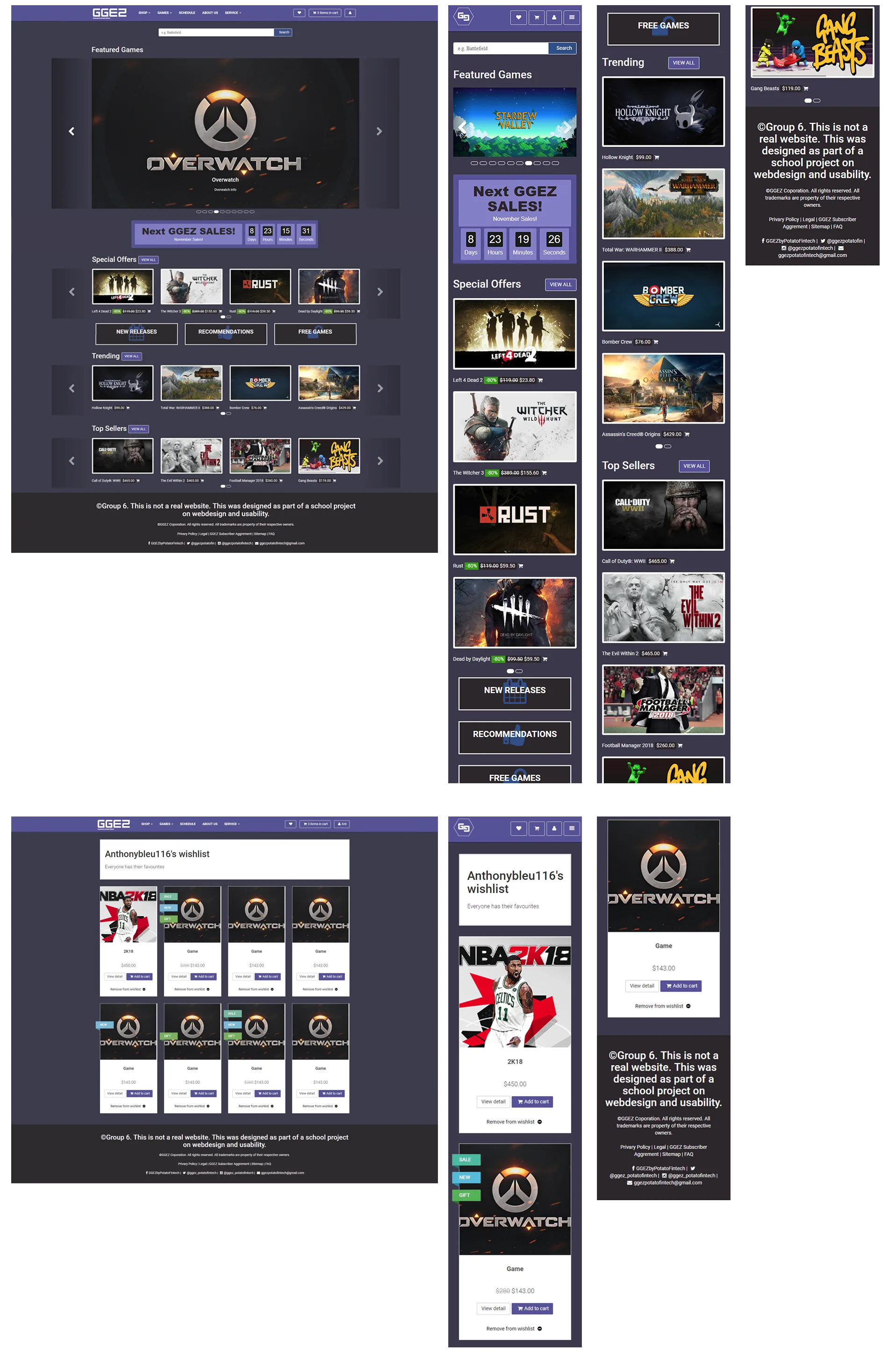
Prototype
Search Engine Optimization
Before SEO, the website's ranking in the search engine was on page 3. After SEO, it significantly boosted up to page 2.
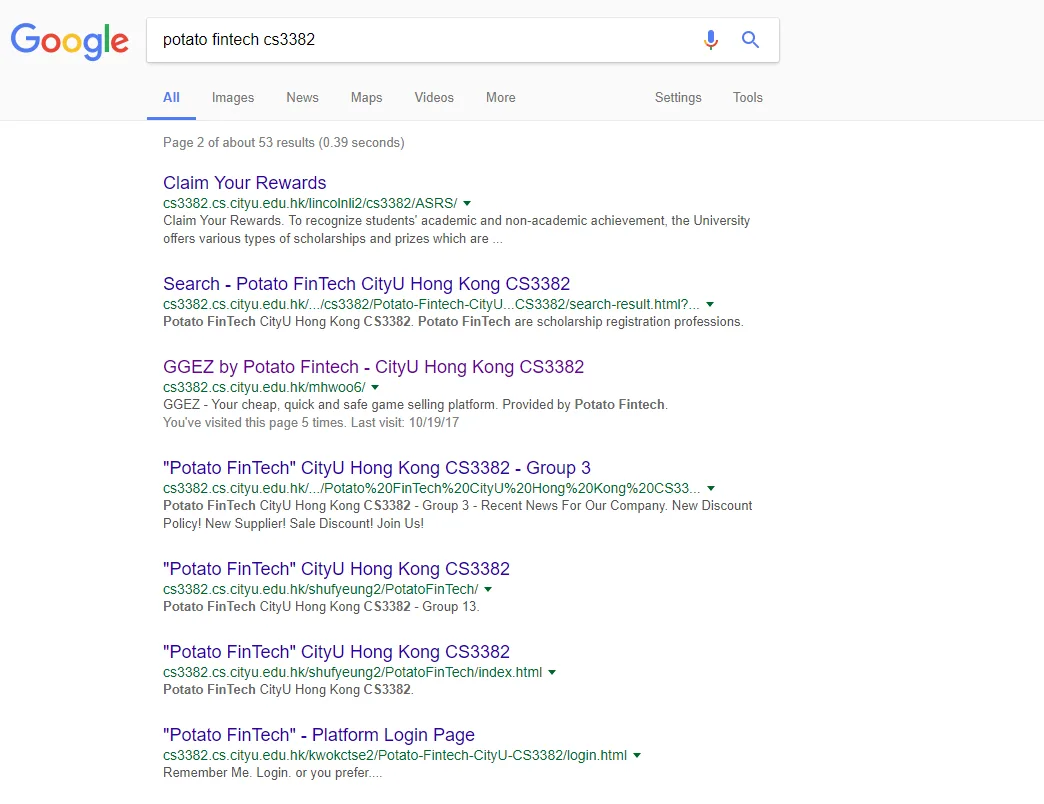
Site Ranking
To make the site accessible to search bots, I have used HTML and CSS validation (W3C HTML checker) and made Sitemap XML.
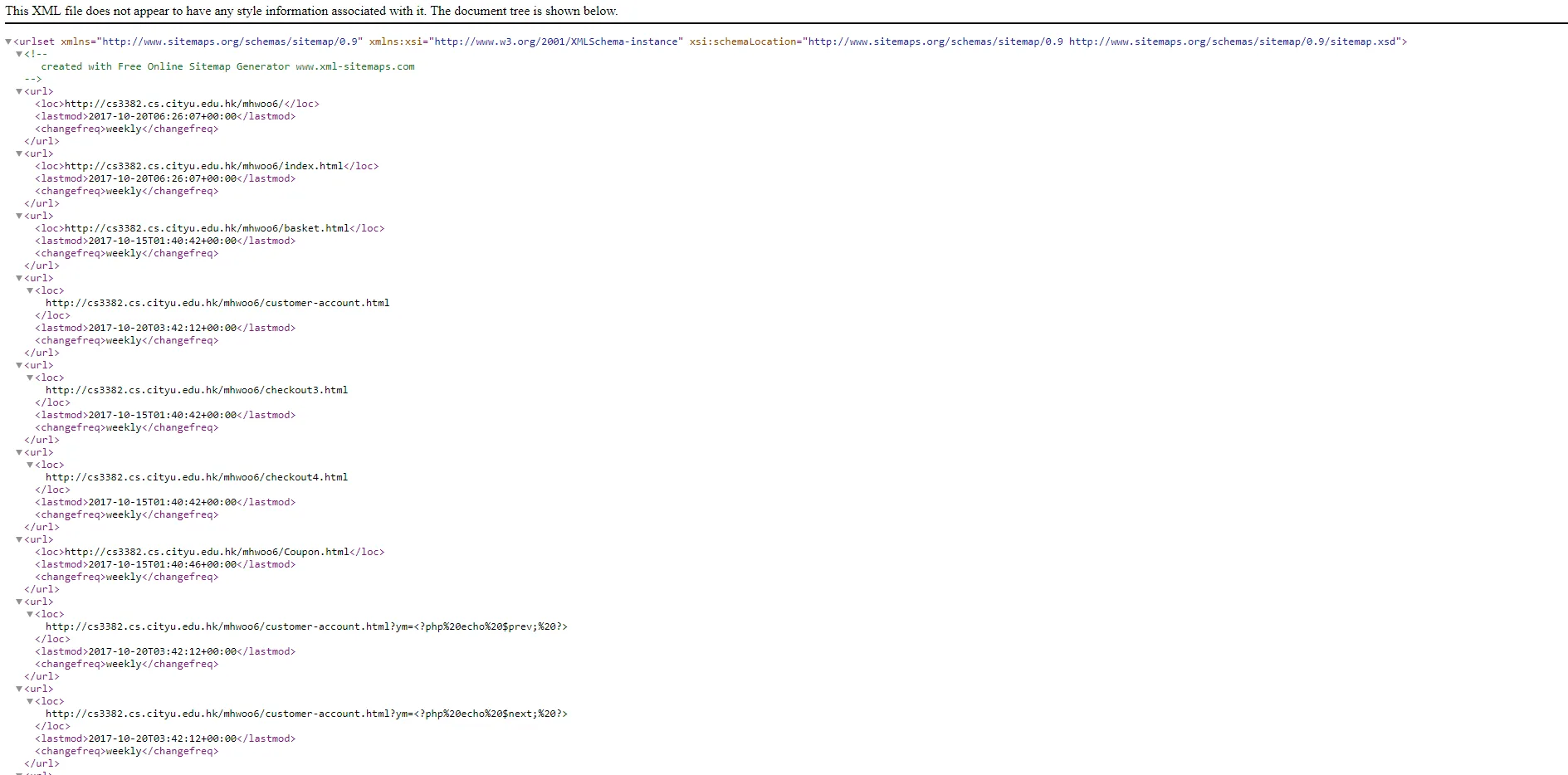
Sitemap for Spider
Then utilized Google Webmaster for fetching tweaked the document structure as well as incorporating Meta Tags and emphasizing Keywords (Analysis).
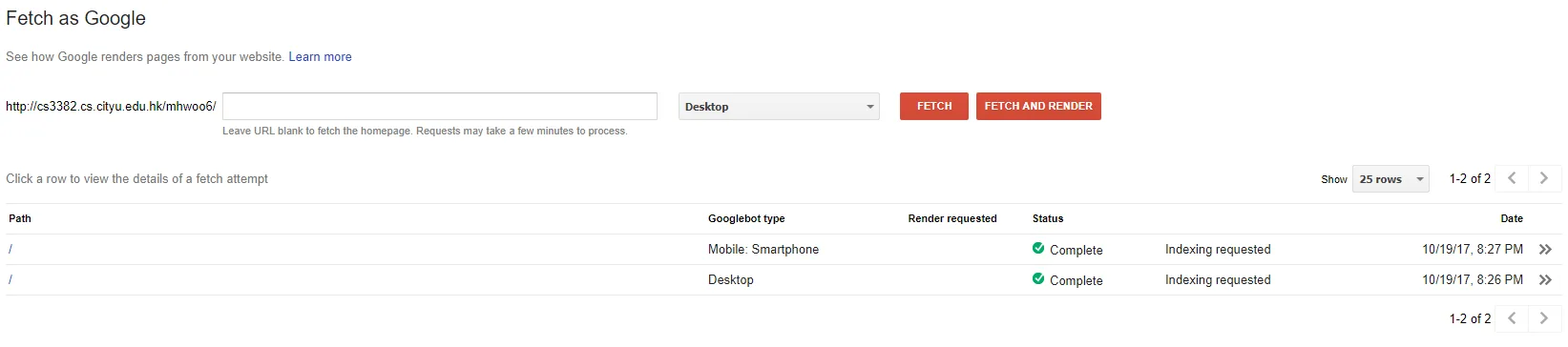
Google Fetch

metatags
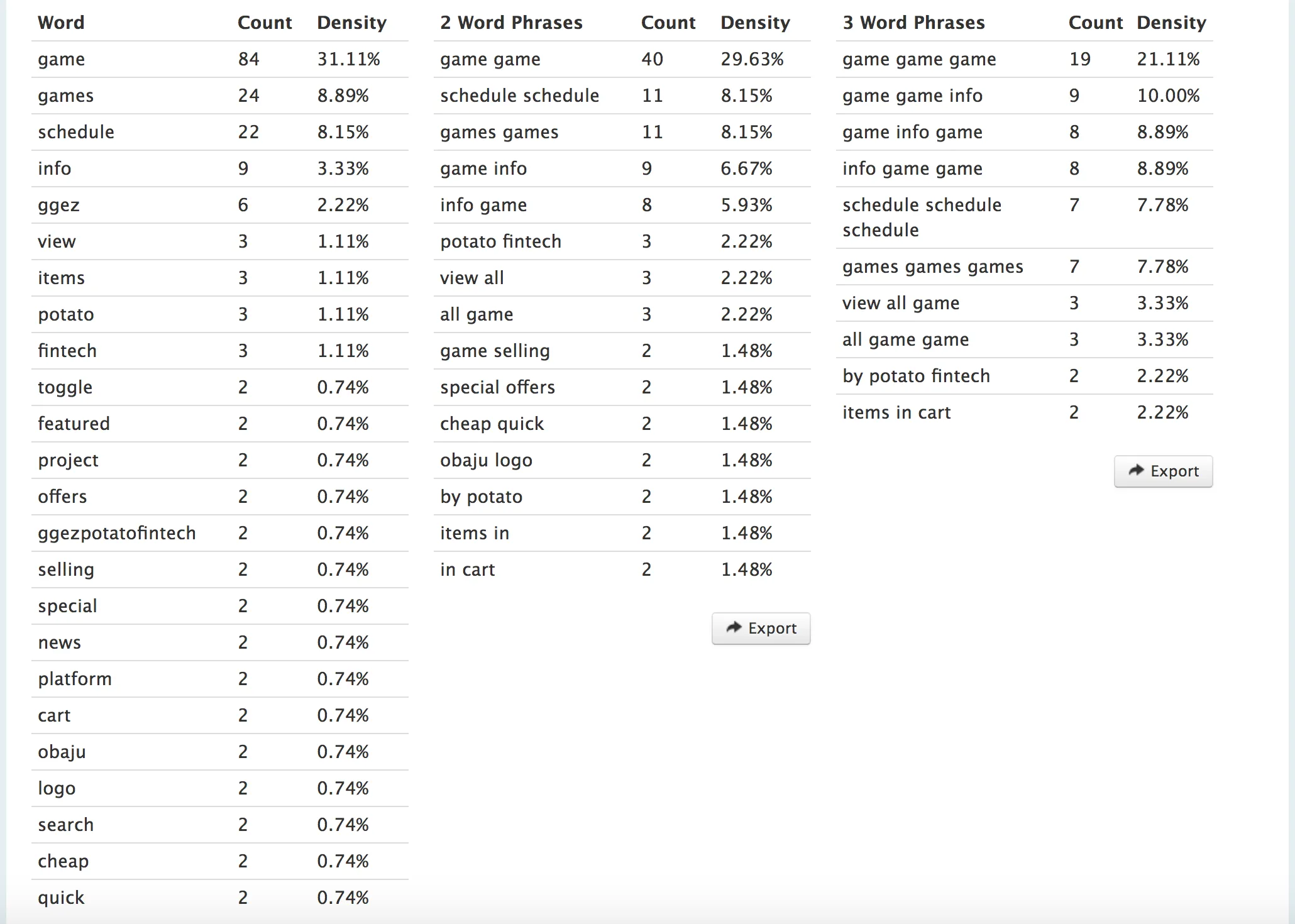
Keyword Analysis
Using Think with Google and PageSpeed to test the performance of the site helped me to spot how and where else I can further optimize the site.
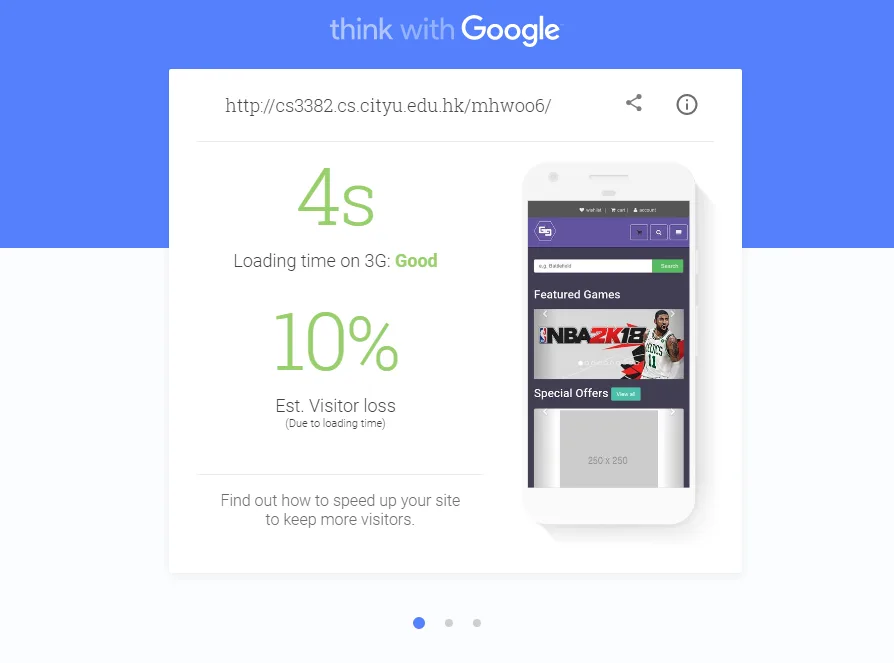
Think with Google
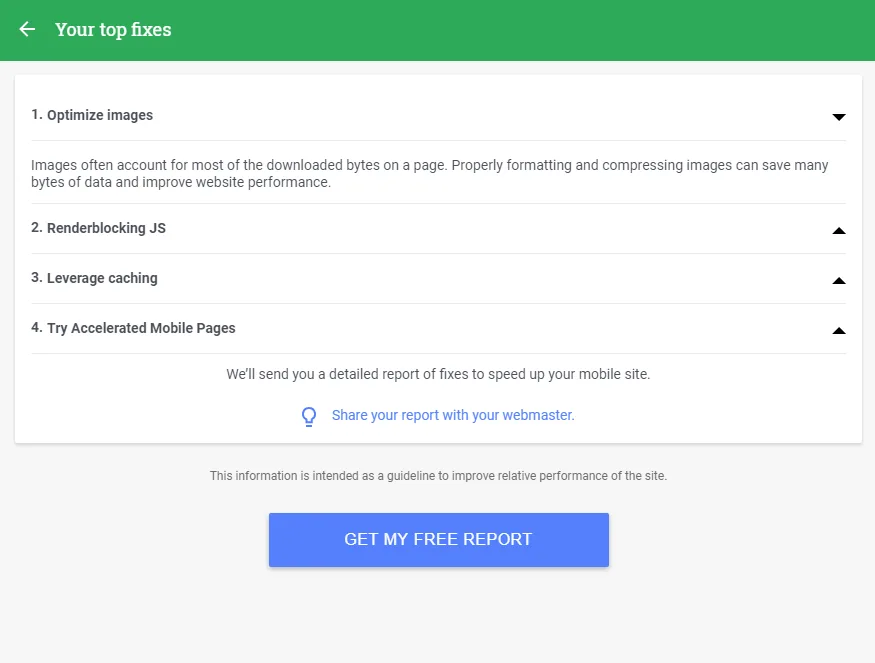
Think with Google 2
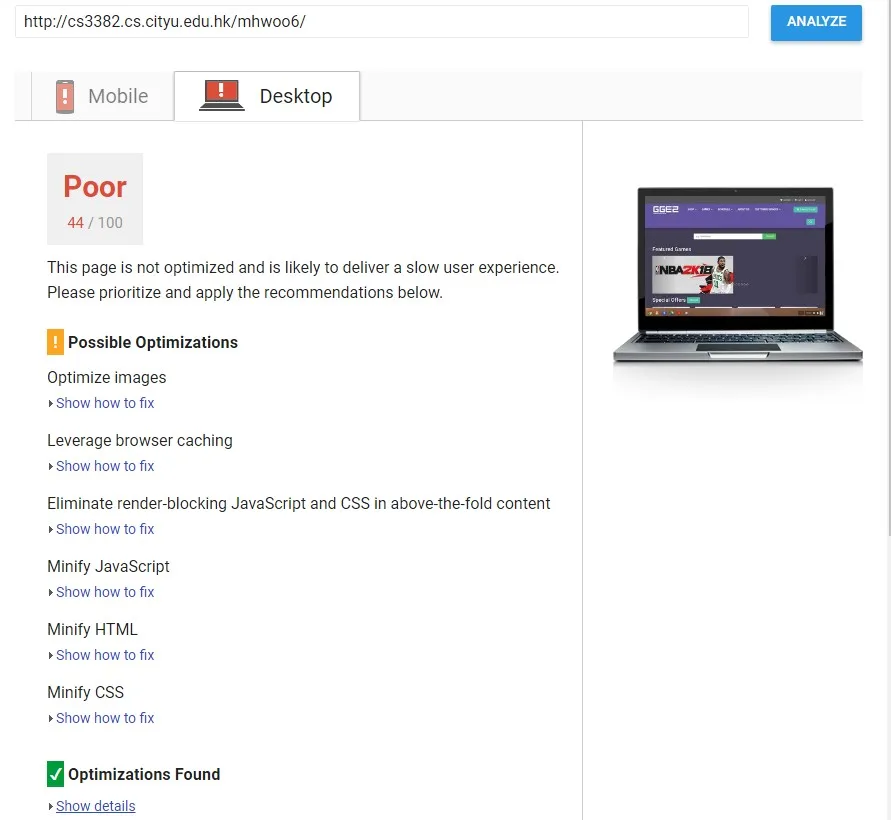
pagespeed
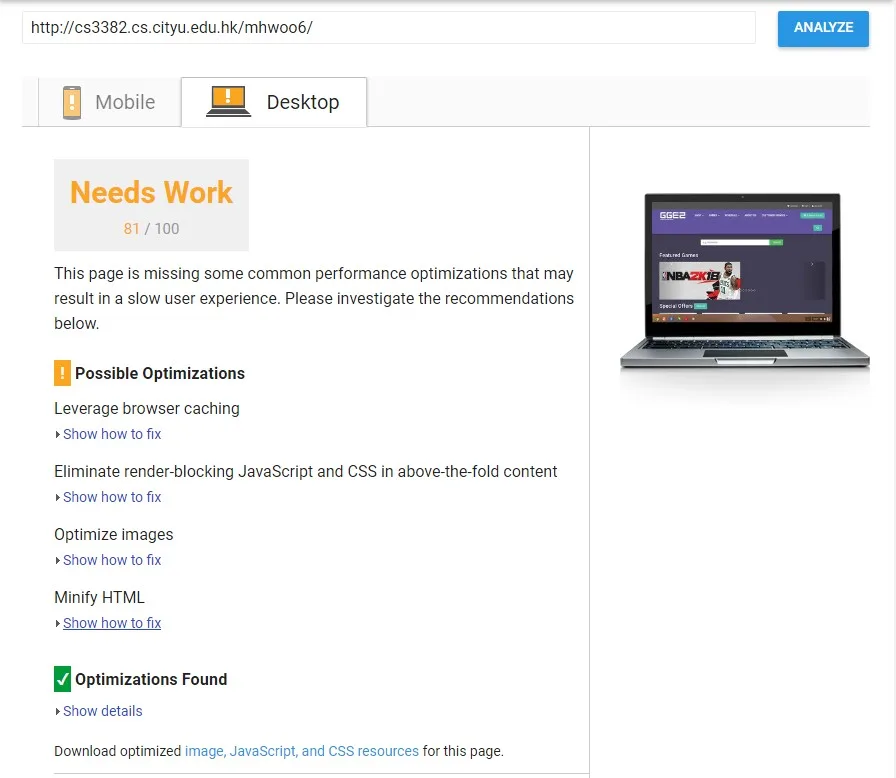
pagespeed2
Accessibility
We wanted our website to be accessible to all types of people from sight to sound. I have based the test on the "Four Principles of Accessibility (Perceivable, Operable, Understandable and Robust)" while supplementing with the WAVE and PowerMapper tool to evaluate our site's accessibility. Also used Chromevox to screen read and Color Blindness Test to simulate different types of blindness on whether is it visible and clear for them.
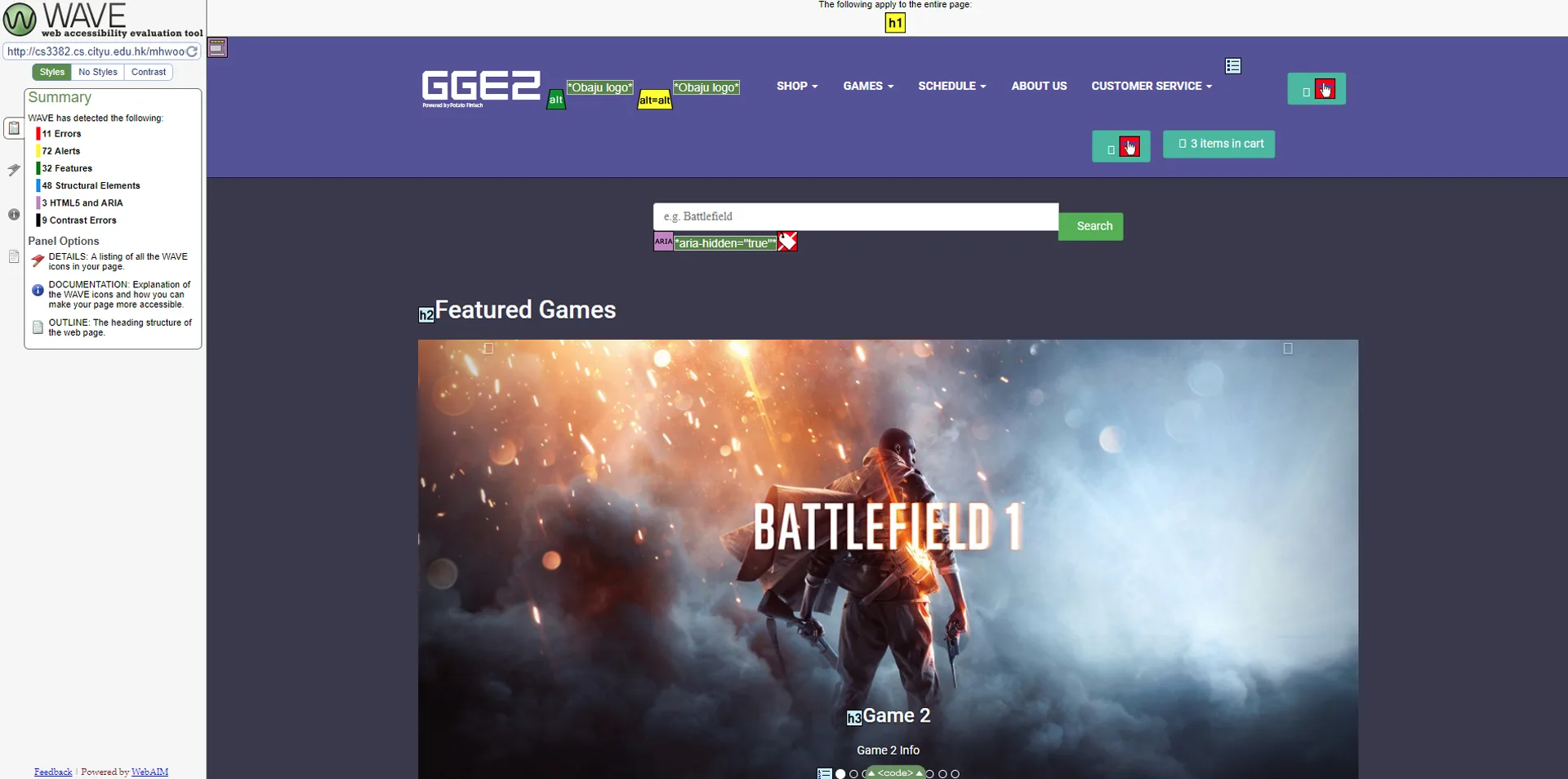
WAVE Tool
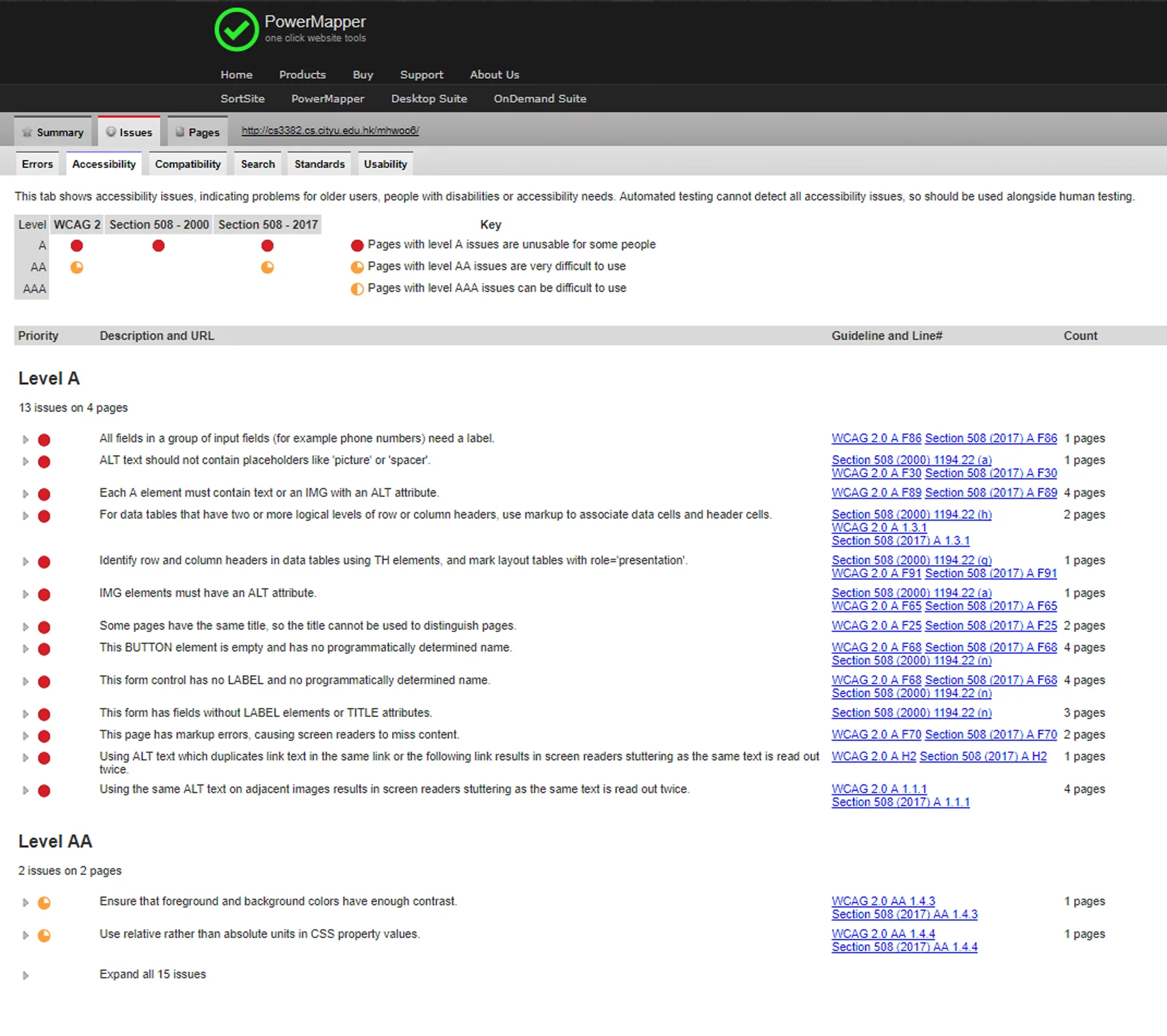
PowerMapper
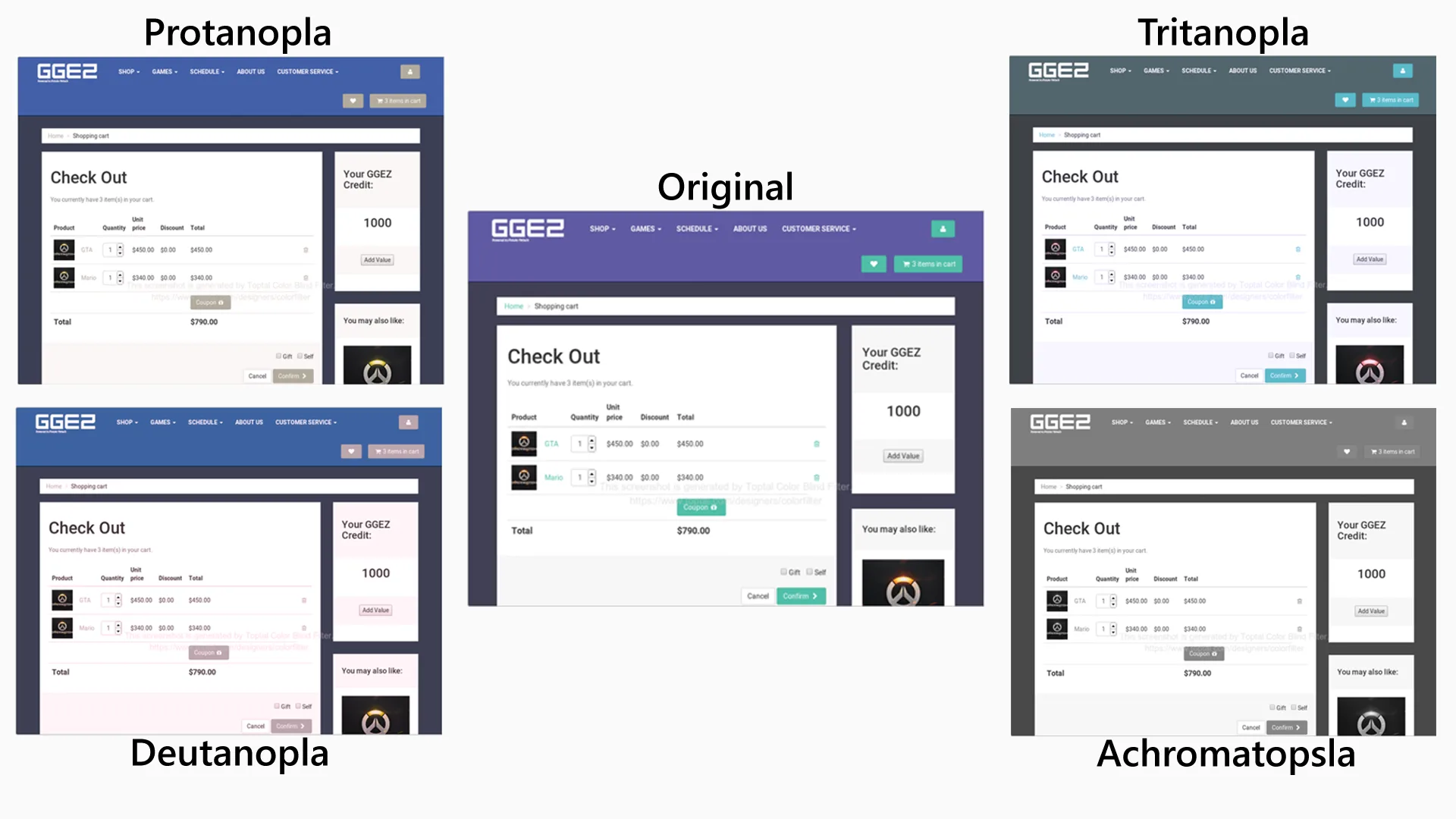
Color Blind Test
Usability
I interviewed 15 people using the 3-30-3 Rule. This is a quick and efficient way to test whether the participants understood the site and met our goal.
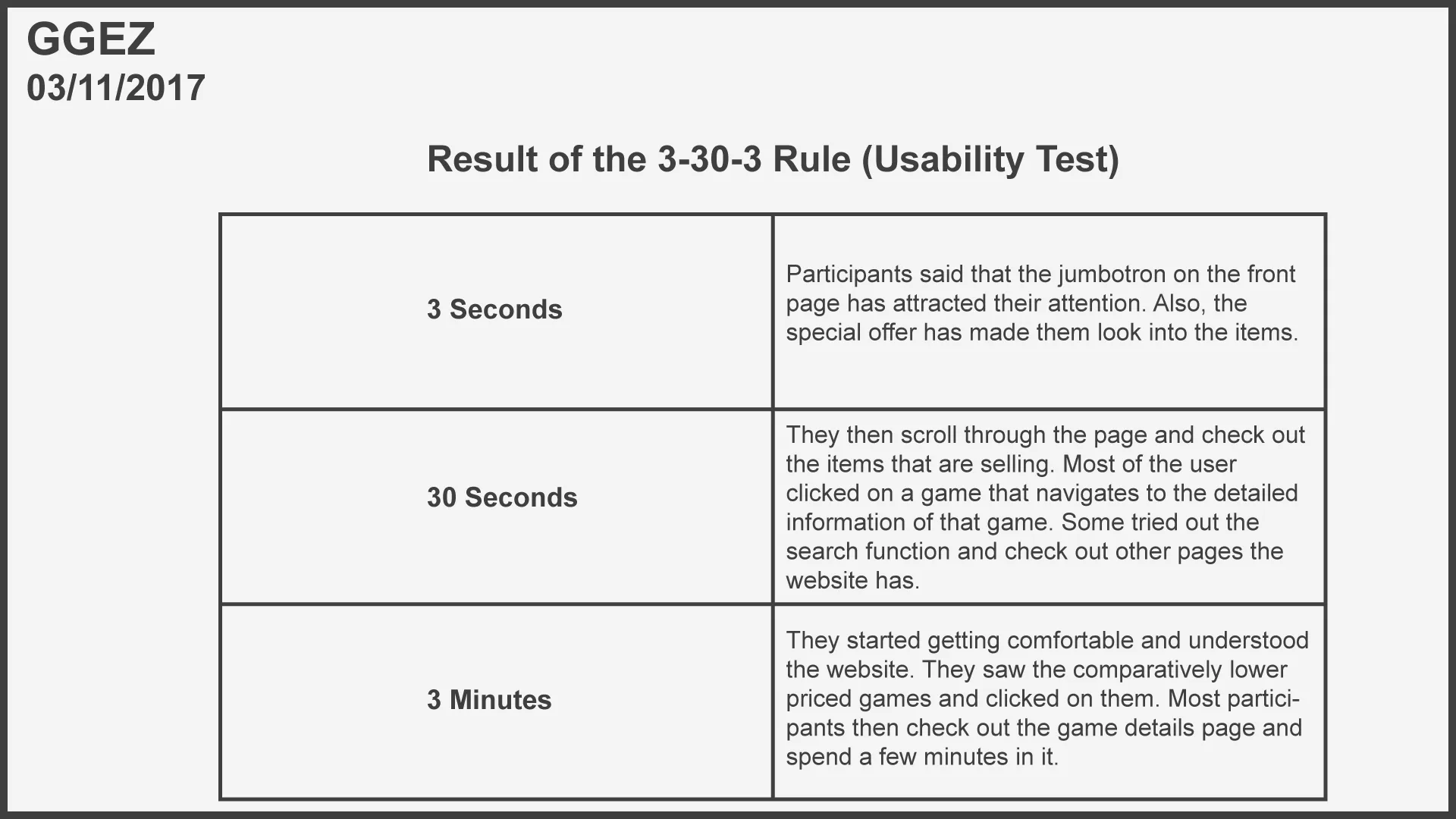
3 30 3
Marketing and Analytics
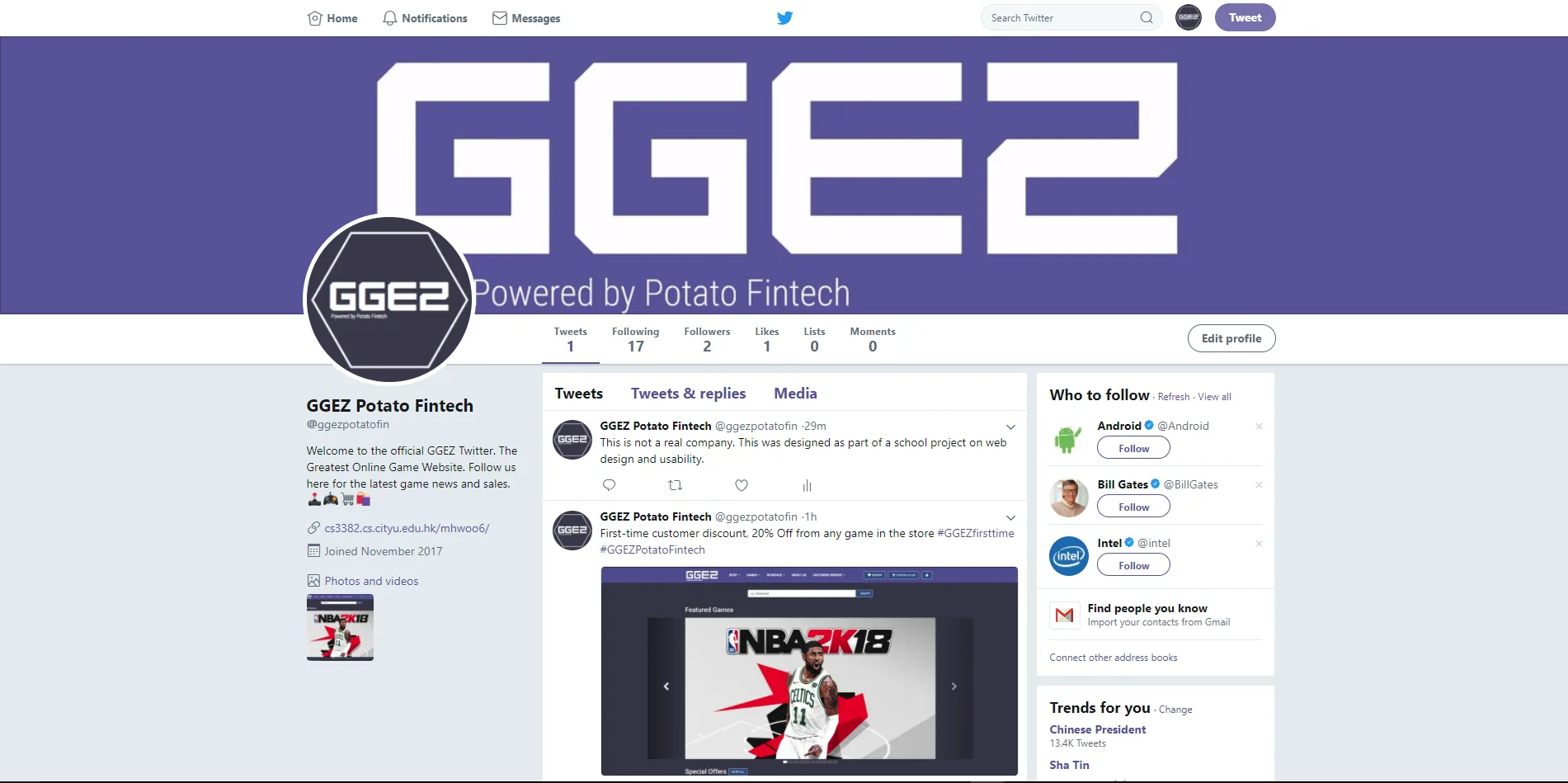
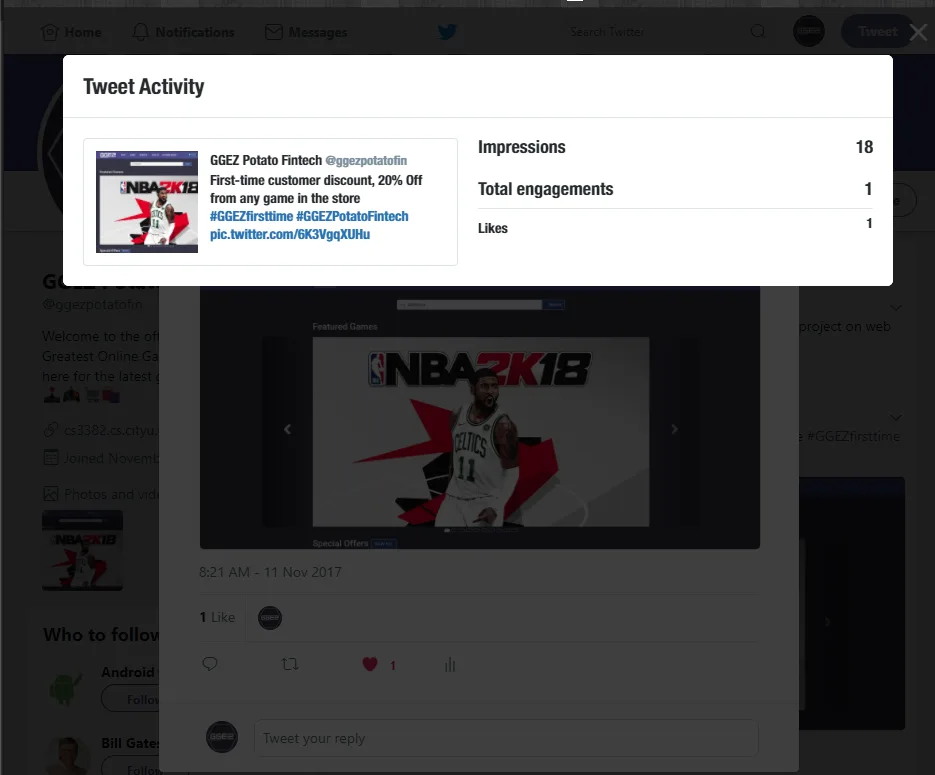
We chose to do Social Media Marketing by creating an account on Facebook, Instagram, and Twitter since millennials use them the most and they are our target group. Thus, there are engagement measurements.
Hashtags such as
#pcgamer
, #onlinegaming, #cheapgames, and #steamgames were being used to attract more visitors and potential followers. Also by posting daily news of game-related and best deals.
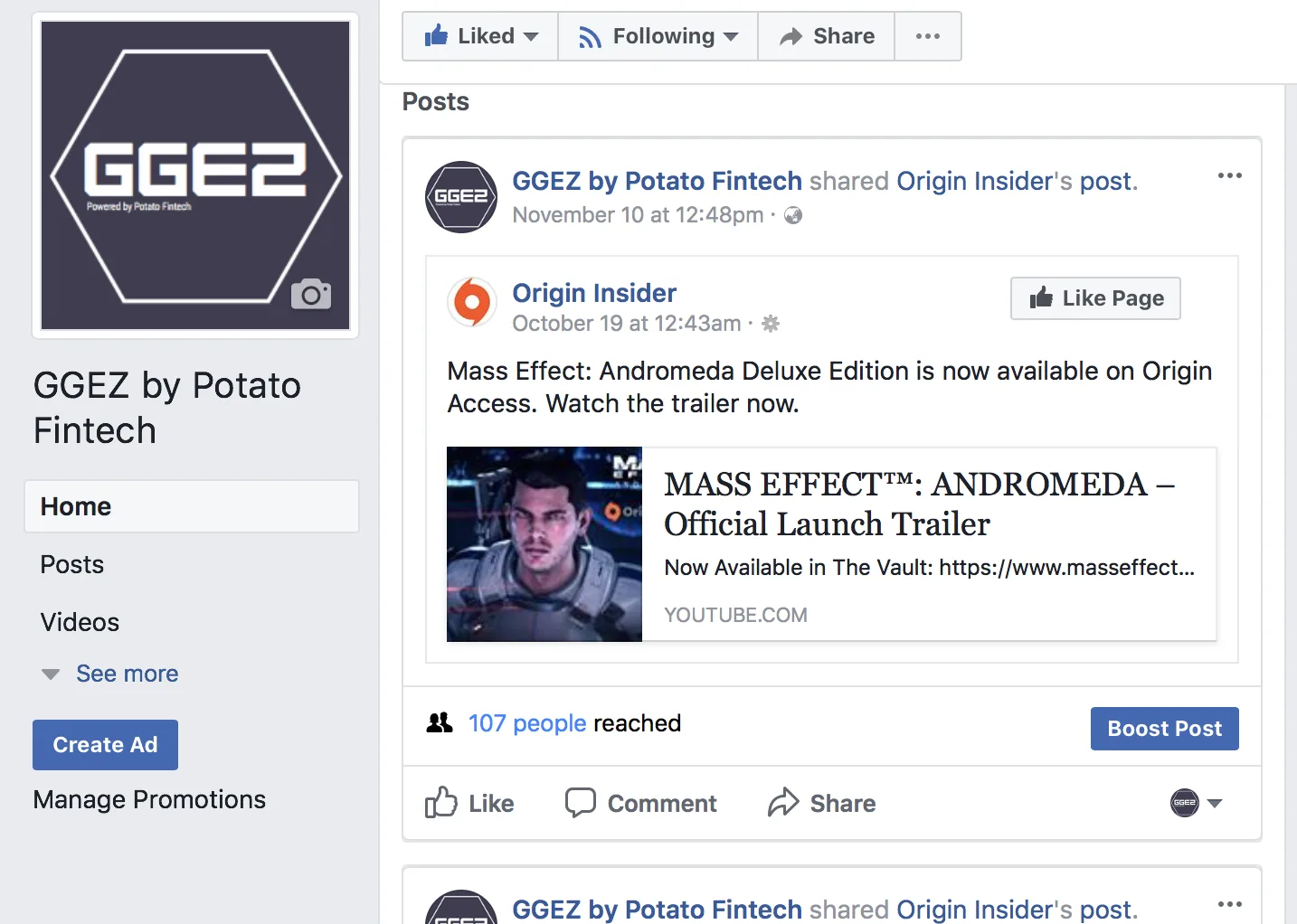
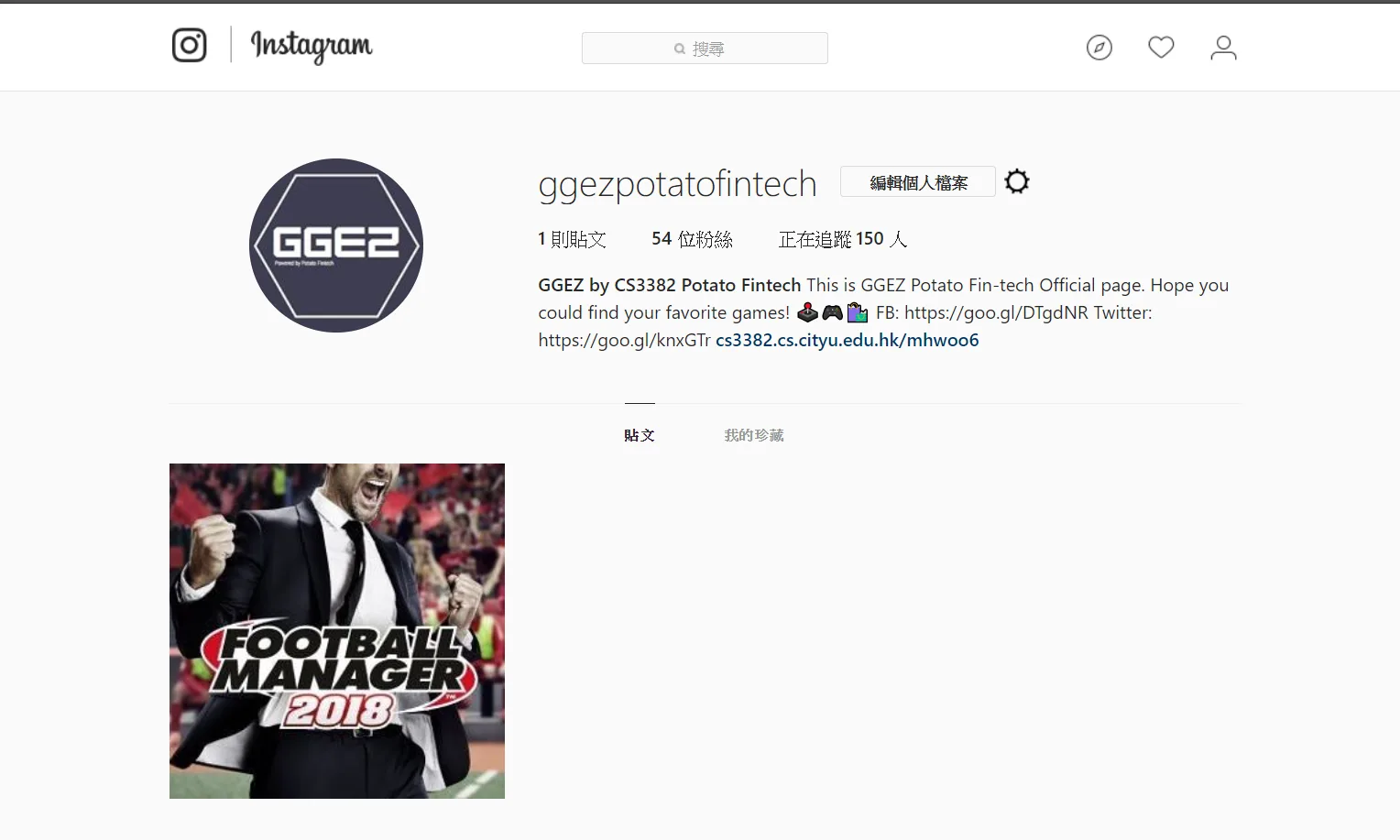
twitter1
twitter2
Google Analytics
to help with our marketing strategy from its function to analyze web pages and visitor information.
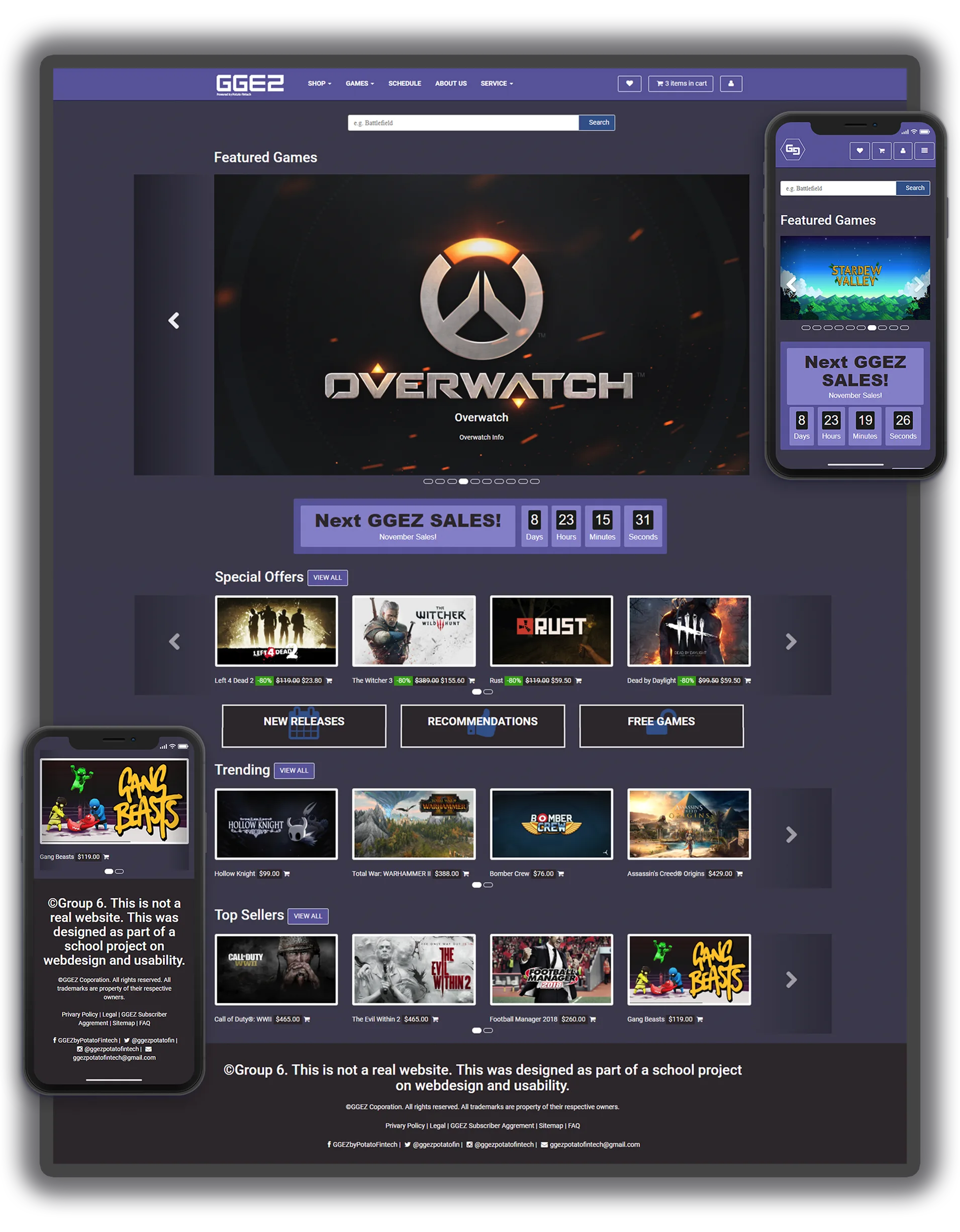
GGEZ Final Homepage
Results and Takeaways
Overall, we have met our goal of developing a game version of "Trivago". Through various phases and weeks of trial and error both individually and as a group, I could see the group’s growth in experience and problem-solving. As a collective unit, we tackled problems better than we ever could have done individually, and it was through using each other’s strengths to cover one’s weaknesses and most importantly trust.
Future Advancement
Having the popup and popover functions was an idea to reduce the complexity of the system. This feature will be applied to all images like in the home and category pages except the detailed game page. Whenever the user hovers/mouse over a game image, it will pop over some more description of the game such as the genre, rating, review, and the platform for that game, giving the user additional information.
Some shortcuts would be great to provide for experienced users or someone who is completely sure about getting the product instead of going through a longer step when the result is the same. As in the homepage, each game has a cart logo next to its price tag, the user could just click on the cart which then will be added to the shopping cart. On the cart page or before completing purchasing the products, there will be some recommended games by the side. Users can consider the recommendations and if they want to add them, they can simply drag the game into the center which is your shopping cart, that is another good way to promote the game.